JobNest
Team
Myself (Product Designer)
Role
UX, UI, prompt design for AI features
Overview
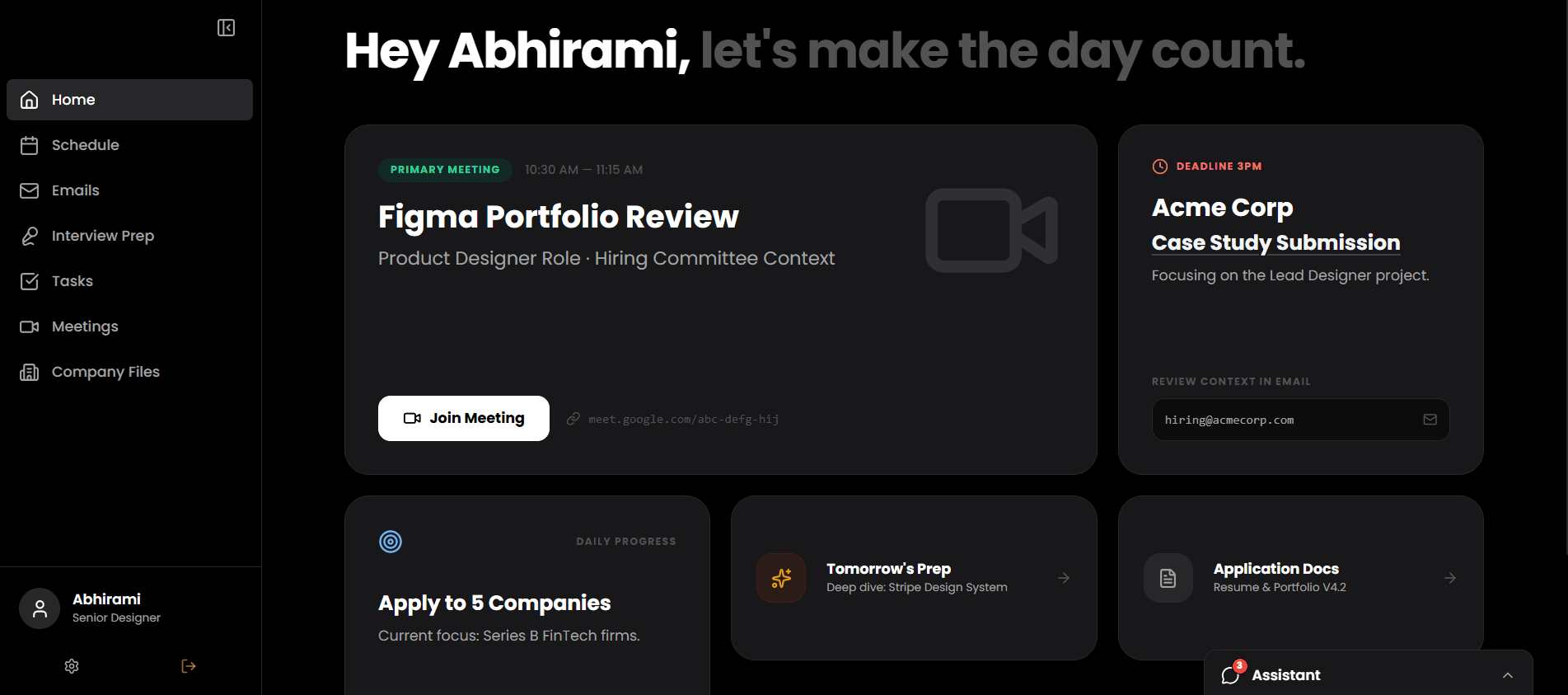
Job searching is a full-time job — yet most people manage it across a dozen disconnected tools, losing track of follow-ups, deadlines, and company context along the way. This project redesigns that experience as a single, browser-based workspace that brings emails, tasks, meetings, and company history into one organised system. The result is less time managing the chaos, and more time actually moving forward.
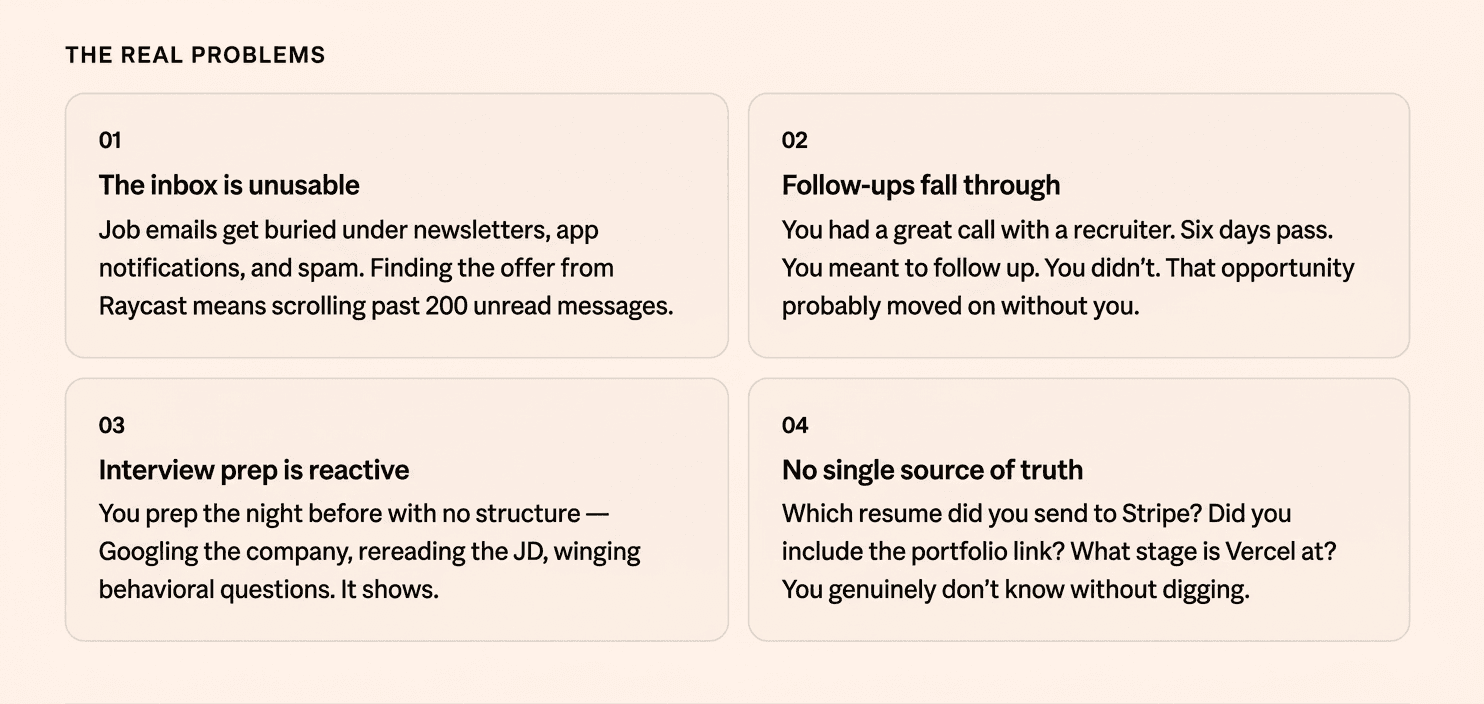
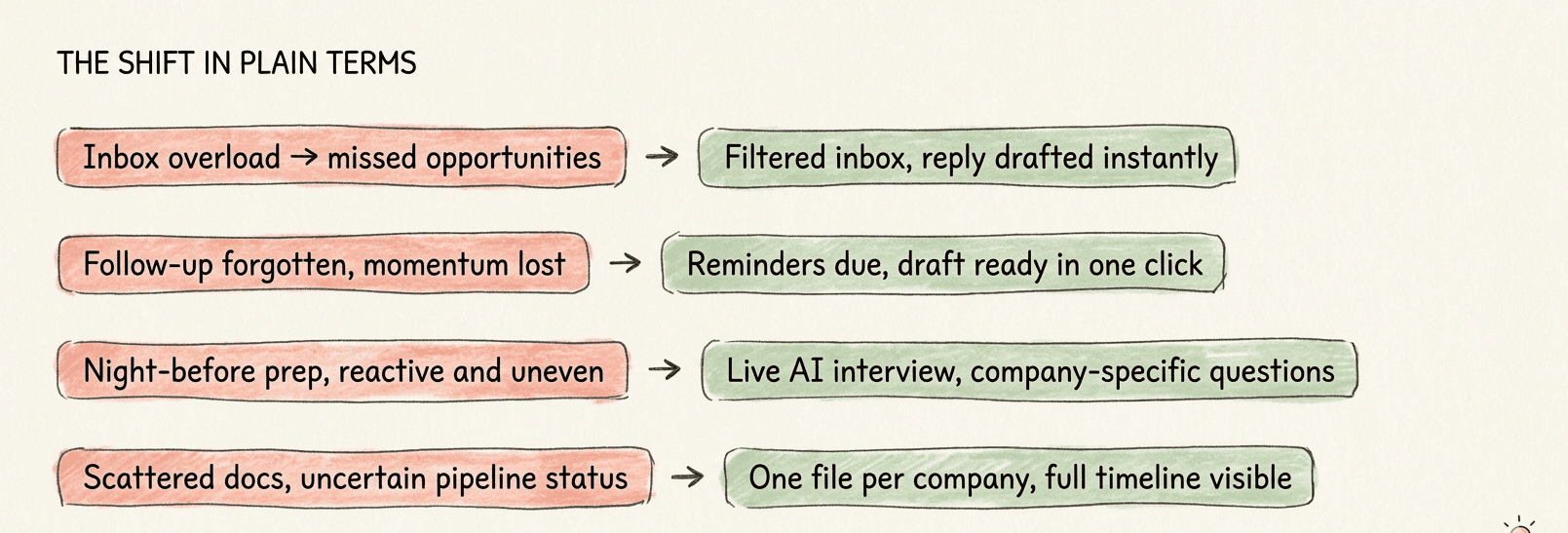
What JobNest does about it
Smart inbox
Email filtered to what matters
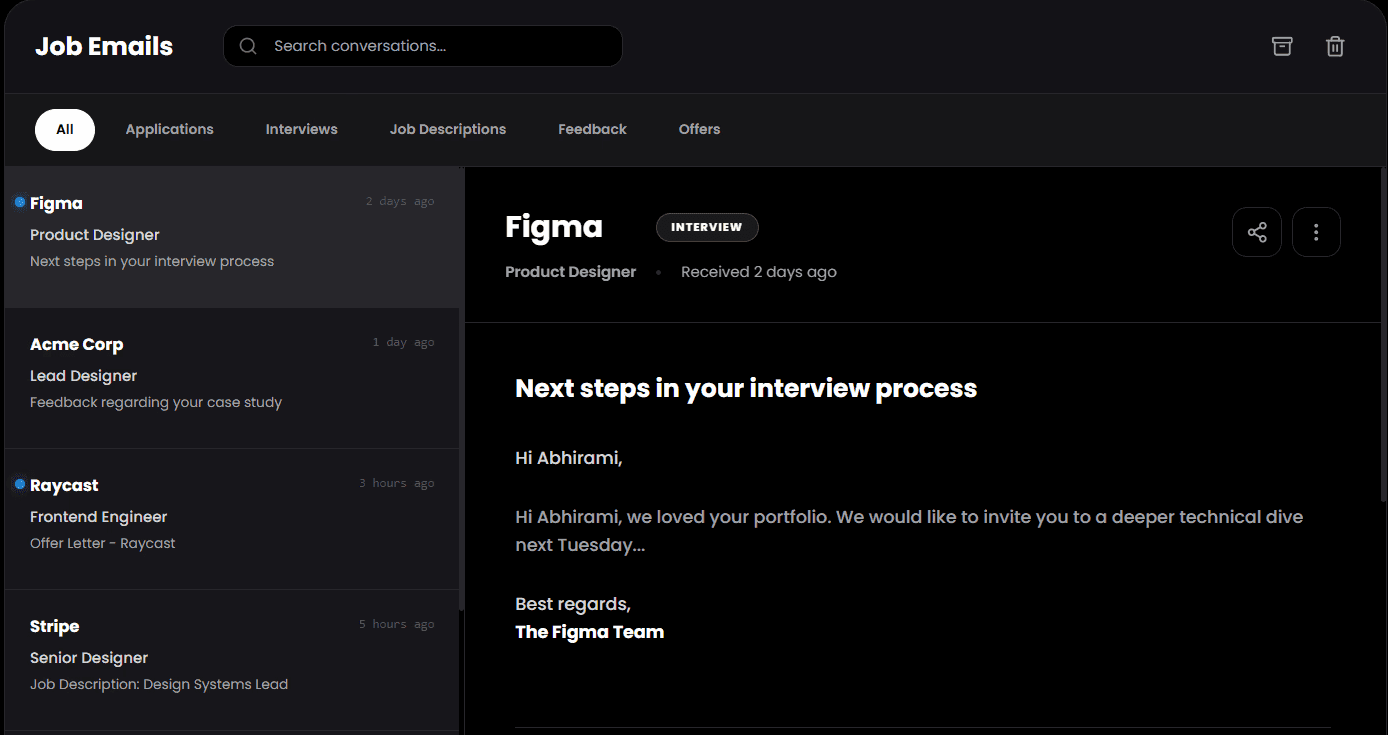
All
Applications
Interview
Projects
Offers
Rejected
Easy access to what you want
Filter out what you want to view
Follow-up dock
The memory you never had
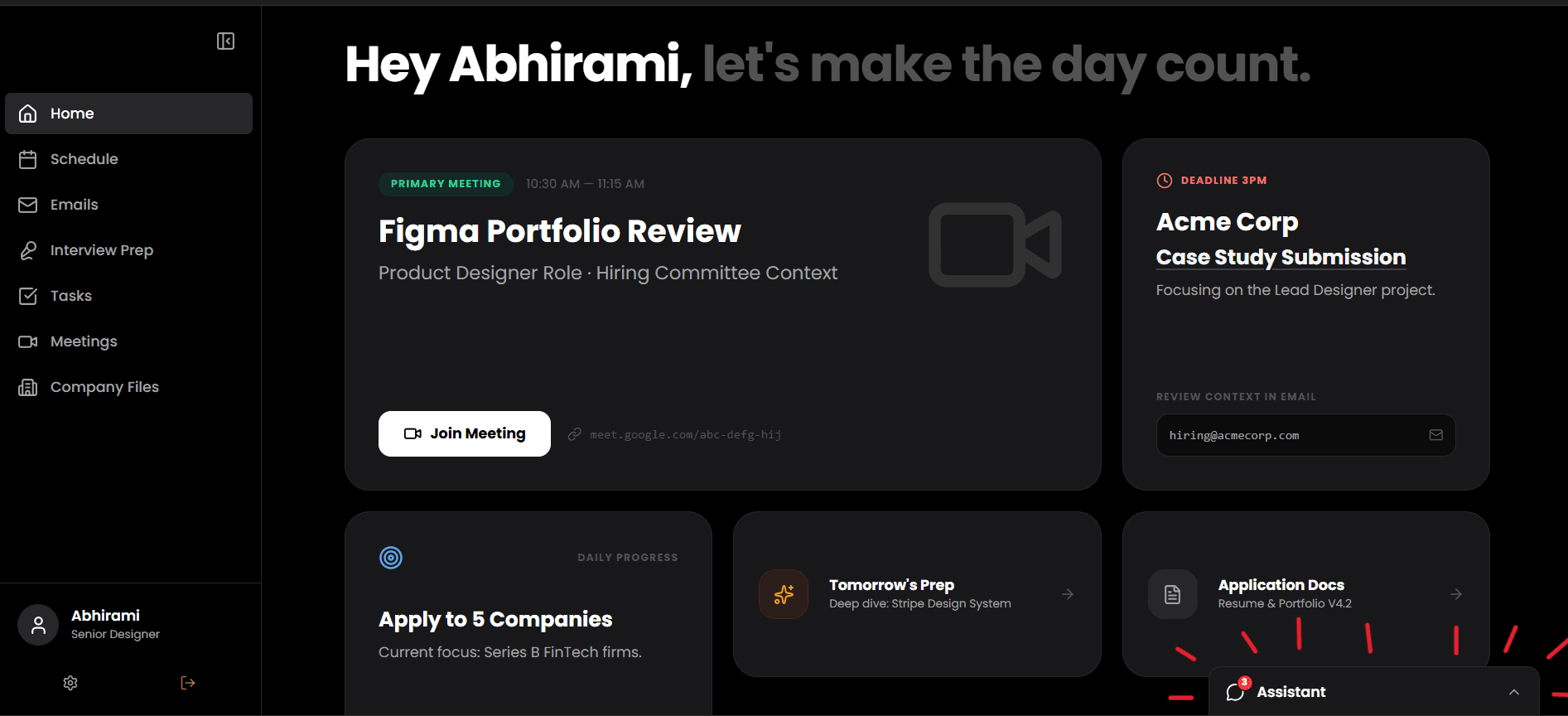
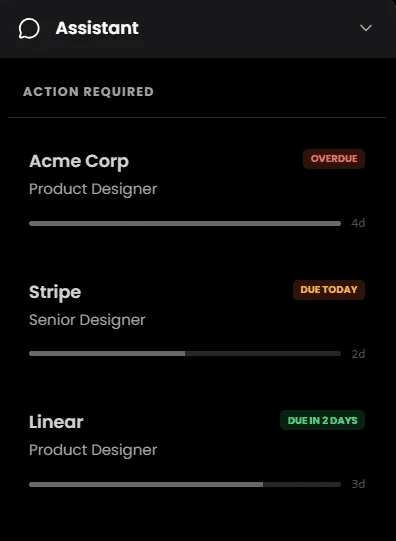
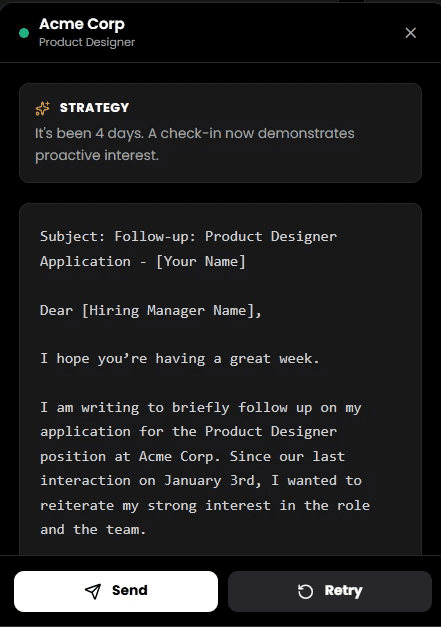
Now you will be reminded to do follow-up emails with a custom AI mail that can be edited and send to your email space.
Interview prep
Structured, not scrambled
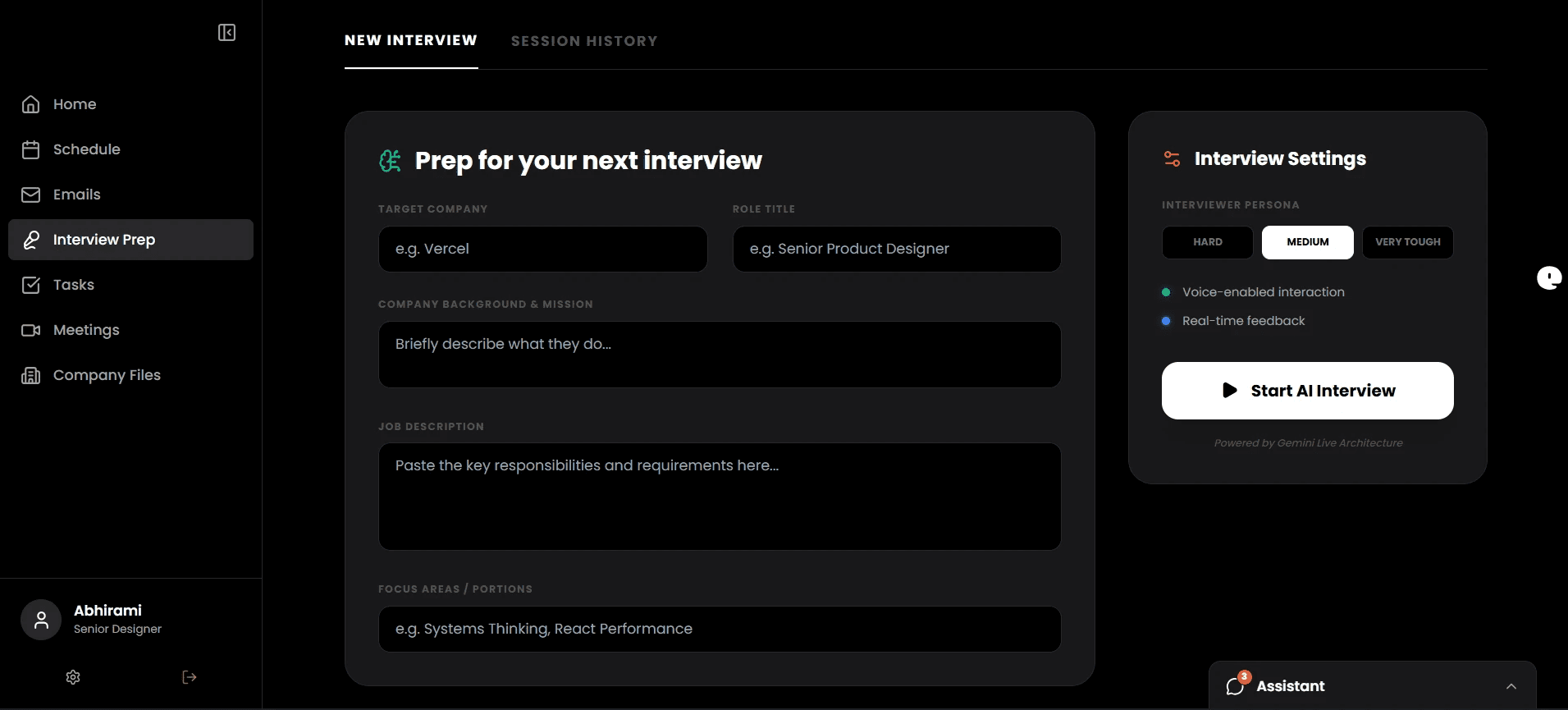
Now you can prep for a upcoming interview by filling in you JD, role and resume and now you have an AI interviewer who can actually help you prepare.
Company files
your single source of truth
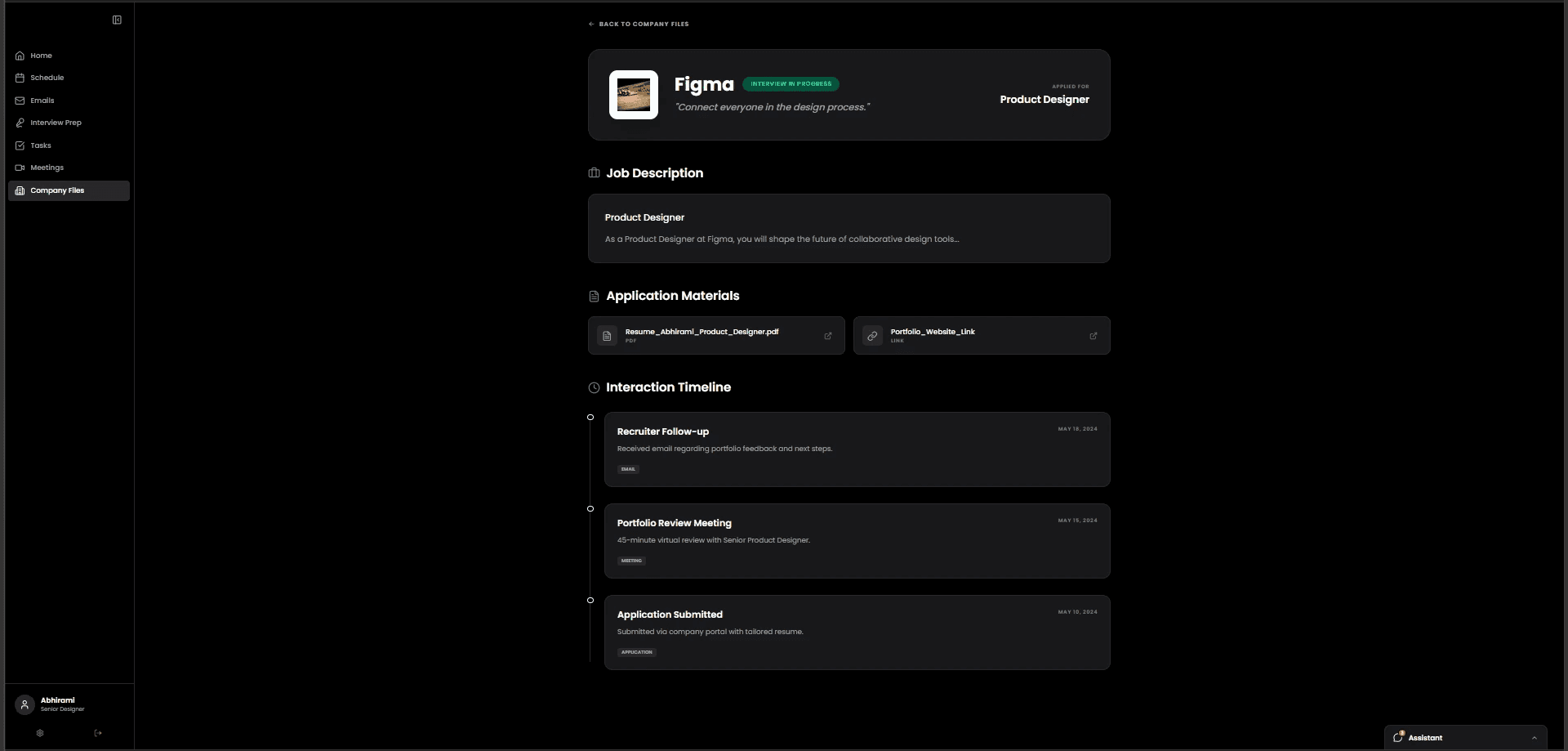
Every application lives in a company file: the JD you applied to, the documents you sent, the interaction timeline, the current stage. The pipeline board shows everything at a glance. So you always know exactly where you stand with every company, without opening a single email.
Why this solution works
It centralizes all job‑search information into one workspace instead of many tools.
It reshapes familiar patterns (Notion sidebar, LinkedIn dock) for a new purpose, so users don’t have to learn from scratch.
It removes friction at the exact moments candidates usually get stuck:
“What do I need to do today?” → solved by the Schedule.
“Who should I follow up with?” → solved by the dock.
“What did I send this company before?” → solved by Company Files.
It keeps the interface quiet and focused with a black background, clear type, and strict spacing, so the content—not the UI chrome—is the loudest thing on the screen.
How I would extend this
In future iterations, I’d like to:
Let users create simple goals like “Apply to 5 roles per week” and tie that into Tasks and Schedule.
Explore a conversational assistant (“Ask your job copilot”) to answer questions like “What should I review for tomorrow’s call?” using the data already inside the app.
View project